What Niche Mode does
Niche Mode is a tool that helps stock creators expand a single idea — one word or one phrase — into a full set of high-quality prompts ready to generate sellable images on stock platforms. Instead of brainstorming what each topic should look like as a prompt, Niche Mode breaks the topic into diverse sub-concepts first, then writes prompts for each in the style you choose. The result: in a few minutes you have 30 to 100+ ready-to-use prompts — no brand names, no logos, no template look. Less risk of rejection on Adobe Stock, Shutterstock, or Freepik.
Note: Niche Mode is free with any active BatchForce license — 5 system uses per day, or add your own Anthropic API key for unlimited use.
How to use it
Type your source niche
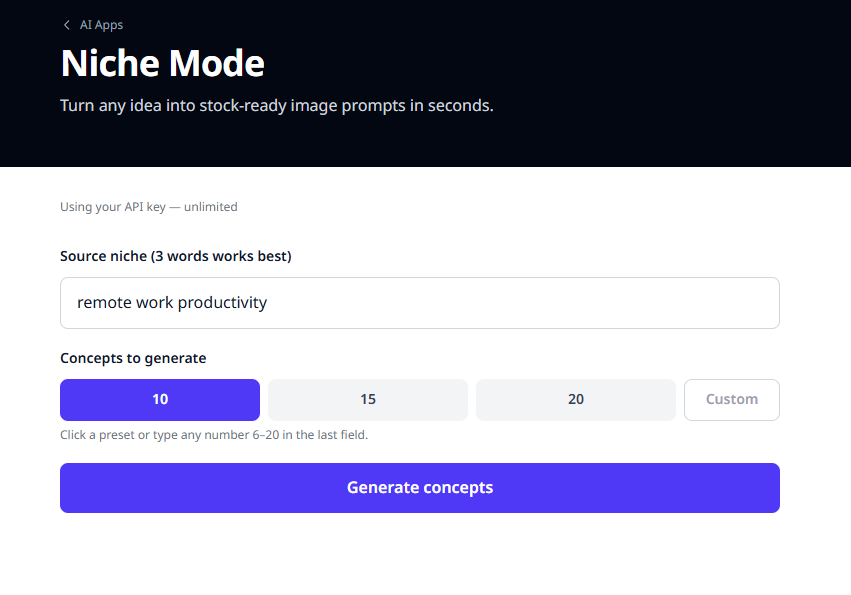
Start by typing a topic or niche into the Source niche field. Tip: 3 words gives the best results (e.g. 'remote work productivity') — not too broad, not too narrow.
Pick how many concepts to generate
Choose 10, 15, or 20 concepts depending on the size of the job. - 10 = quick, good for trying out - 15-20 = wider coverage, more variation - Custom: any number from 6 to 20 Then click 'Generate concepts'.
Pick the concepts you want
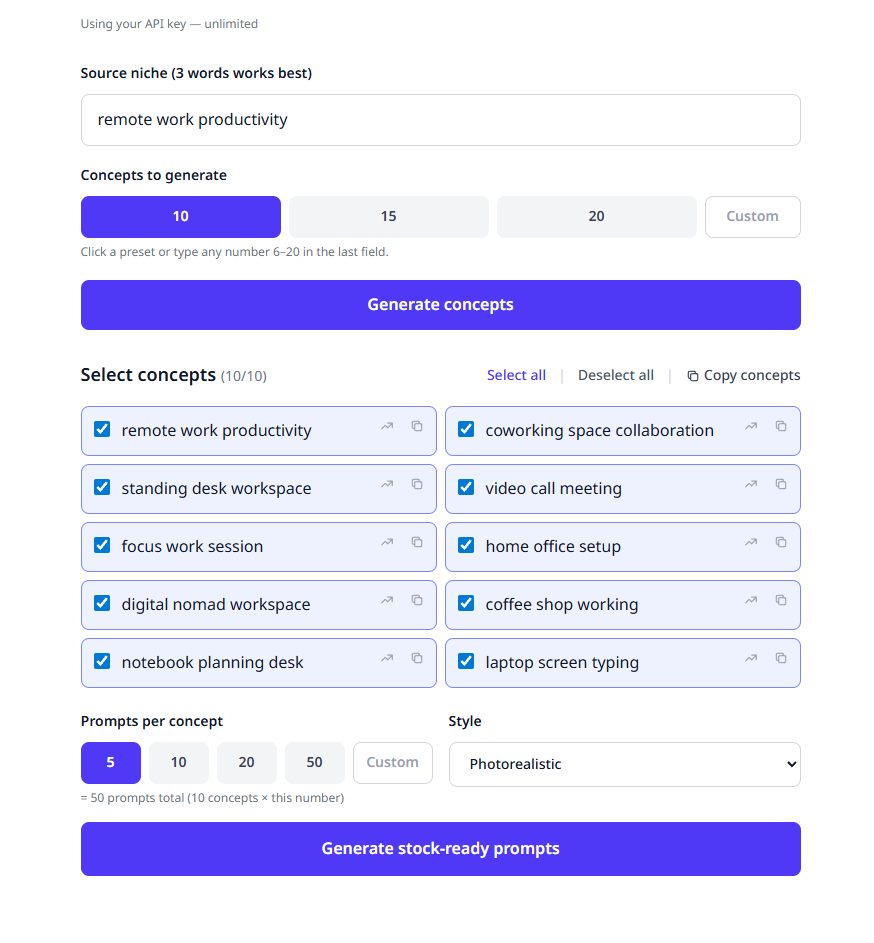
The app returns 3-4 word sub-niches that translate well into images. Check the ones that fit your work, uncheck the rest. The small chart icon next to each concept opens Google Trends so you can verify search demand before committing.
Set prompts per concept and style
Scroll down to set: Prompts per concept: 5 / 10 / 20 / 50 (5 is a good starting point). Style: Photorealistic / Illustration / 3D Render / Flat Vector / Watercolor / Isolated Object. The total prompt count updates live (e.g. 10 concepts × 5 prompts = 50 prompts). Click 'Generate stock-ready prompts'.
Copy or download the results
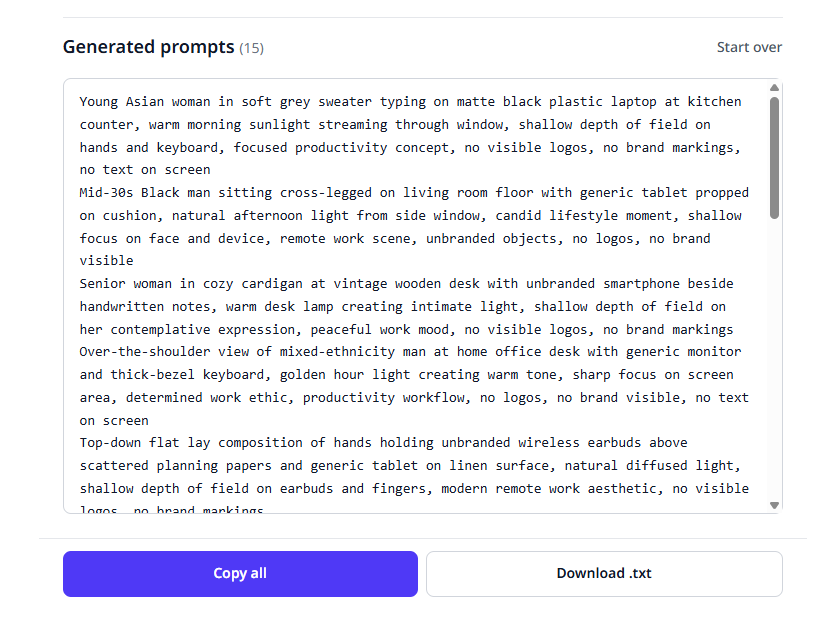
All prompts appear in a single text box — click 'Copy all' or 'Download .txt' and feed them straight into the AI image generator you already use. Every prompt is built to be stock-safe out of the box: no brand names, no logos, no template feel.
Tips
Tip: Take the concepts you picked here over to as Main Concepts. The Titles, Descriptions, and Keywords come out sharper — and more sellable.
Tip: Run the generated prompts through the . You'll generate images faster and visibly cut workflow time.